
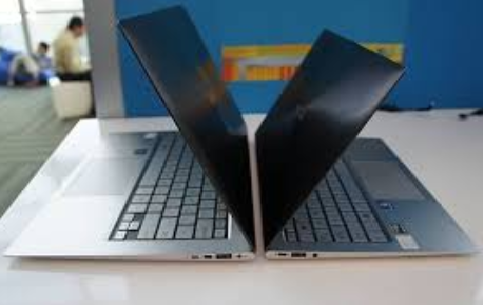
The laptop market has evolved dramatically over the last decade. Once upon a time, you simply bought a “laptop” without thinking much about categories or specific use cases. But today, buyers face a major decision: Should you go for an ultrabook or a traditional laptop?
Both categories offer unique strengths, features, and target audiences. With hybrid work, online learning, and digital productivity at an all-time high, picking the right device in 2025 has become more important than ever.
This comprehensive 2000-word guide breaks down everything you need to know about ultrabooks and traditional laptops—performance, design, battery life, durability, pricing, and more—to help you make the smartest choice.
1. What Is an Ultrabook?
An ultrabook is a premium, ultra-thin, lightweight laptop designed for portability without compromising everyday performance. Originally inspired by a push for sleek, efficient machines, ultrabooks today follow several common traits:
-
Slim and compact design
-
Weight typically under 1.5 kg
-
Long battery life
-
Fast SSD storage
-
Power-efficient processors
-
Premium materials like aluminum or magnesium
Ultrabooks prioritize mobility and efficiency, making them ideal for professionals, students, and travelers.
2. What Is a Traditional Laptop?
A traditional laptop refers to the standard mid-range to high-performance machines commonly used for work, home use, gaming, or academic tasks. These laptops emphasize versatility and power over portability.
Typical characteristics include:
-
Thicker and heavier builds
-
Larger screens (often 15.6″ or above)
-
More powerful processors and dedicated GPUs
-
Upgradeable RAM and storage options
-
Better thermal systems
Traditional laptops are designed for users who prioritize performance, flexibility, and expandability.
3. Build Quality & Design: Thin Elegance vs. Practical Body
Ultrabooks: Premium and Lightweight
Ultrabooks are known for their sleekness. Manufacturers invest heavily in high-quality materials such as aluminum, carbon fiber, or magnesium alloy. The result is:
-
A professional and stylish design
-
Strong build quality despite the thin chassis
-
Easy to carry around for travel or daily mobility
Because of their slim profile, ultrabooks often sacrifice ports and internal upgrade options—but the trade-off is better portability and aesthetics.
Traditional Laptops: Functional and Durable
Traditional laptops come in a wide variety of build qualities—from budget plastic shells to robust metal bodies. They generally have:
-
Thicker frames
-
More internal space (for hardware and cooling)
-
Better port selection
-
The ability to include DVD drives (in older models), larger batteries, or more storage
While not always stylish, traditional laptops are often more practical and durable in demanding environments.
4. Weight and Portability: A Clear Winner
Ultrabook Portability
Portability is the defining strength of ultrabooks. They usually weigh between 1.0–1.4 kg, making them extremely convenient for:
-
Commuters
-
Students
-
Frequent travelers
-
Remote workers
-
Business professionals
Their compact size allows them to fit easily into backpacks, handbags, or suitcases.
Traditional Laptop Weight
Traditional laptops typically weigh between 1.7–2.5 kg, and gaming or workstation laptops can exceed 3 kg. This makes them less ideal for people who work on the go.
If portability is your priority, an ultrabook is the obvious choice.
5. Performance Comparison: Efficiency vs. Raw Power
Ultrabook Performance
Ultrabooks are designed for productivity, not extreme workload. They use efficient processors such as:
-
Intel U-series
-
Intel P-series
-
AMD Ryzen U-series
These chips are optimized for battery life and multitasking. Ultrabooks handle:
-
Office work
-
Browsing
-
Video calls
-
Basic graphic design
-
Light video editing
-
Coding
Some ultrabooks even include integrated graphics powerful enough for casual gaming or light creative workloads.
Traditional Laptop Performance
Traditional laptops often feature high-performance processors such as:
-
Intel H-series
-
AMD Ryzen H-series
-
Dedicated GPUs (NVIDIA / AMD Radeon)
These machines are better suited for:
-
Gaming
-
Engineering software
-
3D rendering
-
Heavy video editing
-
Complex multitasking
-
Large datasets or simulations
For raw performance, traditional laptops win by a wide margin.
6. Battery Life: Ultrabooks Lead the Race
Ultrabooks: Battery Efficiency Experts
Ultrabooks excel in battery endurance thanks to:
-
Low-power CPUs
-
High-density batteries
-
Better optimization
-
Efficient thermal management
Battery life typically ranges between 8–15 hours, depending on usage. Some premium ultrabooks last even longer.
Traditional Laptops: Larger but Less Efficient
Traditional laptops sometimes include larger batteries, but because they use more powerful hardware, their endurance is often lower, usually between:
-
4–8 hours under normal use
-
Less for gaming or heavy tasks
If you want all-day battery life, ultrabooks are the better option.
7. Display Quality: Similar but With Purpose-Based Differences
Ultrabook Displays
Ultrabooks often include high-quality displays such as:
-
Full HD, 2K, or 4K panels
-
Touchscreen options
-
OLED or IPS variants
-
Better color accuracy
These displays cater to professionals who need sharp, vibrant visuals for productivity and entertainment.
Traditional Laptop Displays
Traditional laptops offer large variety:
-
Basic TN panels in budget models
-
Full HD or higher in mid-range
-
High refresh rate (120Hz–240Hz) for gaming
-
Larger screen sizes (15.6″ to 17″)
If you prefer big screens or fast refresh rates, traditional laptops offer more options.
8. Storage and RAM: Expandability Matters
Ultrabook Limitations
Ultrabooks typically come with:
-
8 GB to 32 GB RAM
-
256 GB to 1 TB SSD storage
However, most ultrabooks do not support RAM upgrades, and storage is often limited to one M.2 SSD slot.
Traditional Laptops Offer Upgrades
Traditional laptops frequently allow upgrades:
-
Replaceable RAM (up to 64 GB or more)
-
Additional storage slots
-
Larger hard drives and extra SSDs
If you plan to upgrade your device in the future, traditional laptops offer far greater flexibility.
9. Cooling and Noise: A Technical Battle
Ultrabooks: Efficient but Limited Cooling
Because ultrabooks are thin, they have:
-
Smaller cooling systems
-
Limited airflow
-
Fans that can get noisy under load
They’re not ideal for heavy sustained performance tasks like rendering or AAA gaming.
Traditional Laptops: Better Thermals
Traditional laptops include:
-
Bigger fans
-
Heat pipes
-
Larger vents
-
More effective cooling
This allows them to maintain high performance for longer periods.
For heavy users, better cooling means smoother performance and a longer-lasting machine.
10. Price Comparison: Affordability vs. Premium Experience
Ultrabook Pricing
Ultrabooks are generally more expensive due to their premium build and engineering. Prices start around:
-
Mid-range ultrabooks: Moderate pricing
-
High-end ultrabooks: Significantly higher
You’re paying for portability, design, and efficiency.
Traditional Laptop Pricing
Traditional laptops offer broader price categories:
-
Budget models (good for students)
-
Mid-range performance laptops
-
High-end gaming or professional workstations
You can get more power per dollar with a traditional laptop compared to an ultrabook.
11. Best Use Cases: Which User Should Choose What?
Who Should Buy an Ultrabook?
Choose an ultrabook if you are:
-
A student needing portability
-
A business professional
-
A remote worker
-
A traveler
-
Someone who values battery life
-
A person who needs a stylish, compact machine
Ultrabooks are best for productivity, light creative work, and everyday tasks.
Who Should Buy a Traditional Laptop?
Choose a traditional laptop if you are:
-
A gamer
-
A programmer working with heavy tools
-
A video editor or 3D designer
-
An engineer or architect
-
Someone who wants upgrade options
-
A user who needs maximum performance
Traditional laptops shine in power and versatility.
12. Longevity and Future-Proofing
Ultrabooks
Ultrabooks last long in terms of battery health, build quality, and efficiency. However, the lack of upgradability may limit long-term use for power users.
Traditional Laptops
Traditional laptops can be upgraded, giving them potentially longer life. Replacing RAM or storage can make them usable for many years.
13. Keyboard, Ports, and Usability
Ultrabooks
Because of the slim design:
-
Keyboards may have shallow travel
-
Fewer USB ports
-
Dongles may be required
-
No Ethernet ports in most cases
Traditional Laptops
These laptops usually have:
-
Better keyboard travel
-
More connectivity (USB, HDMI, Ethernet, SD card)
-
Larger trackpads
For usability and ports, traditional laptops take the lead.
14. Software and Compatibility
Both ultrabooks and traditional laptops run the same operating systems—Windows, Linux, or ChromeOS—so software compatibility is not a major differentiator. However:
-
Heavy workstation apps perform better on traditional laptops
-
Cloud-based and productivity tools run smoothly on ultrabooks
15. Final Verdict: Which One Should You Buy?
Choosing between an ultrabook and a traditional laptop depends entirely on your priorities.
Buy an Ultrabook if:
-
You travel frequently
-
You need excellent battery life
-
You prefer lightweight and stylish devices
-
You perform light-to-moderate tasks
-
You want a premium experience
Ultrabooks are perfect for modern professionals, online workers, and students.
Buy a Traditional Laptop if:
-
You need high performance
-
You play games or use heavy software
-
You want upgrade options
-
You prefer larger displays
-
You require powerful cooling
Traditional laptops are great for heavy users, gamers, and creatives.
Conclusion
There is no universally “better” option—only the better option for your needs. Ultrabooks deliver sleek designs, mobility, and efficiency, while traditional laptops provide raw performance, flexibility, and affordability.
Take time to evaluate what matters most to you: portability, power, battery life, display size, or long-term usability. Once you identify your priorities, the choice becomes clear.
If your lifestyle revolves around mobility and productivity, go for an ultrabook. If your work demands power, gaming capability, or workflow scalability, choose a traditional laptop.