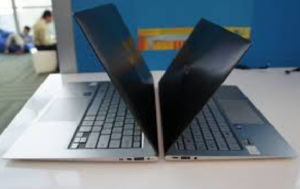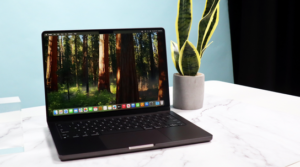
Buying a laptop under $500 in 2025 is no longer as difficult as it used to be. A few years ago, a sub-$500 laptop meant slow performance, low-quality displays, and extremely limited storage. But today, thanks to more efficient processors, improved ChromeOS, and better competition among manufacturers, the under-$500 category now includes surprisingly capable laptops that can easily handle everyday tasks like browsing, streaming, studying, remote work, and lightweight productivity.
However, not every laptop in this price range is a good value. Some still come with outdated processors, weak battery life, or poor-quality screens. This detailed guide will help you understand what to expect, what features matter the most, and which models deliver the best performance and reliability for the price.
What to Expect (and Not Expect) from Laptops Under $500
What You Can Expect
In this price range, you can get:
-
Solid performance for everyday tasks such as browsing, video streaming, using office apps, and Google Workspace.
-
Full HD (1080p) displays, which are now common even on cheaper laptops.
-
SSD storage, which is much faster than old HDD drives.
-
Good battery life on Chromebooks and select Windows models.
-
Lightweight designs, making them suitable for school and travel.
What You Shouldn’t Expect
-
High-end gaming performance (no dedicated GPUs).
-
Premium build materials like aluminum unibody designs.
-
Professional color-accurate displays for creative work.
-
High-refresh-rate screens (120Hz/144Hz).
-
Large storage capacity; most budget laptops use 128–256 GB SSDs.
Overall, under $500, your best goal is a laptop that prioritizes practicality — strong battery, stable performance, and reliability for daily tasks.
How to Choose the Right Budget Laptop
1. Choose the Right Operating System
Windows Laptops
A good choice if:
-
You need Microsoft Office desktop apps.
-
You want more compatibility with software like Photoshop, AutoCAD (light use), or desktop utilities.
-
You need the flexibility of installing various programs.
Windows laptops under $500 have improved significantly, especially with updated Intel and AMD mobile chips.
Chromebooks
Chromebooks are excellent for:
-
Students
-
Web-first users
-
Streaming and entertainment
-
Basic productivity with Google Workspace or Office Web
They offer fast boot times, excellent battery life, strong security, and smooth performance even with limited hardware.
If your workflow is cloud-based or browser-heavy, a Chromebook often performs better than a similarly priced Windows laptop.
2. Choose the Processor Wisely
In the under-$500 category, you will mostly find:
-
Intel N-Series / Intel Core i3 older generations
-
AMD Athlon / AMD Ryzen 3
-
ARM-based processors (MediaTek or Qualcomm) on Chromebooks
For best performance:
-
Choose Intel Core i3, Intel Core i5 older gen, or AMD Ryzen 3.
-
Avoid extremely old processors or Atom-based chips that may feel slow.
ARM-based chips (seen in Chromebooks) are efficient and deliver excellent battery life.
3. RAM: 8GB is the Sweet Spot
While some budget laptops still ship with 4GB RAM, it is not ideal in 2025, especially for Windows.
Recommended:
-
Windows laptops: 8 GB minimum
-
Chromebooks: 4 GB works, but 8 GB is noticeably smoother
More RAM means better multitasking and longer usability before the laptop feels outdated.
4. Storage: Always Choose SSD
Never buy a laptop under $500 with a mechanical HDD — it will feel painfully slow.
Recommended storage:
-
128 GB SSD (minimum acceptable)
-
256 GB SSD if you want apps, documents, or light media storage
eMMC storage (common in cheap laptops) is slower but still acceptable for basic tasks. However, SSD is strongly preferred for better performance.
5. Display and Battery Life
Display
Choose:
-
1080p (Full HD) resolution
Avoid: -
1366×768 screens — too low-quality for modern use.
Brightness and color accuracy vary, but 250–300 nits brightness is common in budget devices.
Battery Life
-
Chromebooks: 10–12 hours easily
-
Windows laptops: 6–9 hours on most budget models
Top Picks: Best Budget Laptops Under $500 (2025 Edition)
Below are some of the most recommended budget laptops frequently praised for their performance and everyday usefulness.
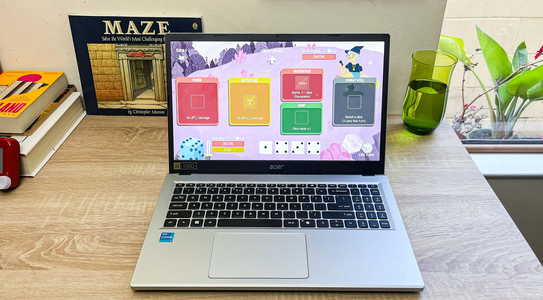
1. Acer Aspire Go 15
Best Overall Windows Laptop Under $500
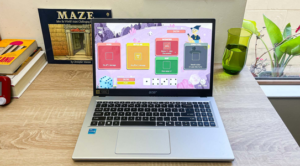
The Acer Aspire Go 15 is one of the strongest all-rounders for this price. It usually includes a 15.6-inch Full HD screen, 8 GB RAM, SSD storage, and entry-level but efficient processors.
Why it’s great
-
A full Windows experience
-
Large screen for studying and work
-
Stable performance for everyday tasks
-
Good port selection
Where it falls short
-
Speakers and webcam are average
-
Display brightness could be better
Best for: students, office work, home use, and general productivity.
2. Acer Chromebook Plus 516 / Chromebook Plus 515
Best Large-Screen Chromebook
The Chromebook Plus lineup has improved performance, better displays, and more RAM/storage. The 516 and 515 variants offer big screens and smooth performance even under heavy web usage.
Why it’s great
-
Excellent battery life
-
Snappy performance (great for web apps)
-
8 GB RAM options
-
Large display makes multitasking easier
Where it falls short
-
Not suitable for desktop apps
-
Bulkier than 13–14-inch models
Best for: web-based work, online learning, streaming, cloud gaming.
3. ASUS Vivobook 16 (M1605)
Best Value Large-Screen Windows Laptop
This Vivobook offers a comfortable 16-inch screen, reliable performance, and a good keyboard — ideal for typing-heavy tasks. It is one of the better-priced laptops in this segment.
Why it’s great
-
Large 16-inch display
-
Good CPU performance for the price
-
Comfortable keyboard
-
Suitable for office work and studying
Where it falls short
-
Plastic build
-
Not designed for demanding software
Best for: students, writers, office users who want more screen space.
4. Lenovo IdeaPad Slim & Flex Chromebooks
Best 2-in-1 Convertible Under $500
Lenovo’s budget Chromebooks deliver excellent value, especially the Flex series, which offers touchscreen and tablet mode.
Why it’s great
-
Lightweight and portable
-
2-in-1 design with touchscreen
-
Excellent battery life
-
Smooth ChromeOS performance
Where it falls short
-
Not good for heavy multitasking
-
Build quality varies by model
Best for: students, casual users, and those who prefer touch-based use.
5. Certified Refurbished Laptops
Best for Getting Maximum Power Under $500
Refurbished laptops can be an amazing value. Many high-end business laptops from Lenovo (ThinkPad), Dell (Latitude), or HP (EliteBook) are available refurbished in the $300–$500 range.
Why it’s great
-
Much better build quality
-
Usually have stronger processors
-
Upgradable RAM/SSD
-
More durable keyboard and chassis
Where it falls short
-
Older hardware
-
Battery may not be as strong
-
Cosmetic imperfections possible
Best for: buyers who want the best performance and durability for the money.
Detailed Buying Scenarios
1. For Students
Students need:
-
Good battery life
-
Lightweight design
-
Comfortable keyboard
-
Reliable performance for Chrome/Office apps
Best choices:
-
Lenovo IdeaPad Flex Chromebook
-
Acer Aspire Go 15
-
Acer Chromebook Plus series
2. For Office/Work-from-Home
Remote workers need:
-
1080p display
-
Good webcam/mic
-
8 GB RAM
-
SSD storage
Best choices:
-
Acer Aspire Go 15
-
ASUS Vivobook 16
3. For Light Photo Editing
Budget laptops can handle:
-
Basic Photoshop
-
Lightroom for smaller projects
-
Web-based editors like Canva
Look for:
-
A stronger processor (Ryzen 3 / Intel i3)
-
8 GB RAM
-
256 GB SSD
Best choices:
-
ASUS Vivobook 16
-
Refurbished business laptops
4. For Gaming
Under $500, you can handle:
-
Cloud gaming (GeForce Now, Xbox Cloud)
-
Very light indie games
-
Android games (on Chromebooks)
Do not expect: Modern AAA gaming.
Best choices:
-
Acer Chromebook Plus 516 (large screen + great battery)
-
Any Windows laptop with at least Ryzen 3 or Core i3
Where to Save Money — And Where Not To
Save money on:
-
Build materials (plastic is fine)
-
Speakers (budget laptops rarely have great audio)
-
Fancy features like backlit keyboards (not essential)
Do NOT save on:
-
RAM: Always aim for 8 GB
-
Storage type: SSD only
-
Display resolution: Avoid anything below 1080p
-
Battery life: Good battery = better everyday use
Buying Checklist
Before purchasing, confirm these details:
-
Operating System: Windows or ChromeOS
-
RAM: Preferably 8 GB
-
Storage: SSD (128–256 GB)
-
Processor: Intel Core i3 / AMD Ryzen 3 / ARM Chromebook
-
Display: 1080p Full HD
-
Battery: 6–12 hours depending on model
-
Ports: Look for USB-A, USB-C, HDMI
-
Upgrade options: Optional but helpful for future-proofing
Final Recommendations
Best Budget Chromebook Overall:
Acer Chromebook Plus 516 / 515
(Excellent value, long battery, smooth performance)
Best Budget Windows Laptop Overall:
Acer Aspire Go 15
(Balanced specs, reliable performance, affordable)
Best Large-Screen Value Laptop:
ASUS Vivobook 16
(Comfortable, great for typing, good performance)
Best Versatility (Touch/Convertible):
Lenovo Chromebook Flex
(Great for students and casual use)
Best Power for the Price:
Refurbished ThinkPad or Dell Latitude
(More powerful and durable than most new budget laptops)
Wrap-Up
The under-$500 laptop market in 2025 offers plenty of excellent choices for students, remote workers, and casual users. Chromebooks dominate in battery life and smooth everyday performance, while Windows laptops offer versatility and compatibility with desktop software. To make the best choice, focus on RAM, SSD storage, display quality, and real-world performance rather than brand names or flashy features.