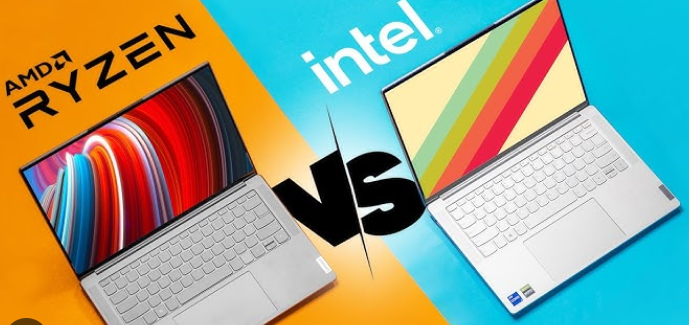
Choosing a laptop is mostly choosing a processor. The CPU (central processing unit) determines how fast apps open, how smoothly games run, how many browser tabs you can keep open, and how long your battery lasts. For more than a decade the big duel has been Intel vs AMD — both firms make excellent laptop processors, but they serve different priorities and design choices. This guide walks you through everything that matters when comparing Intel and AMD for laptops, explains technical concepts in plain language, and gives practical recommendations so you can pick the right chip for your needs.
Quick summary — the short answer
-
Intel often excels at single-threaded performance and energy-efficient designs in thin-and-light laptops (great for battery life, office work, and portability). Intel also tends to have a wide range of vendor features (connectivity, AI accelerators, Thunderbolt, etc.).
-
AMD offers strong multi-core performance per dollar and very competitive integrated graphics, which makes AMD an excellent choice for gaming on thin laptops, content creators on a budget, and anyone who wants high multi-core throughput.
-
The best choice depends on your use case: ultrabook and business users might lean Intel; power users, gamers, and value-minded buyers often prefer AMD. But it’s not absolute — many modern Intel chips match or beat AMD in specific models, and AMD’s power efficiency has improved a lot.
Now let’s unpack why, how, and what to check when buying.
Understanding the basics: what the numbers mean
When you read a laptop spec sheet you’ll see CPU model names, core counts, thread counts, base/boost clock speeds, and sometimes “TDP” or “watts.” Here’s how to interpret them:
-
Cores and threads: A core is a physical execution unit. Modern CPUs have multiple cores; each core can run one or more threads (via SMT/hyperthreading). More cores = better at multitasking and multi-threaded apps (video encoding, 3D rendering, heavy multitasking).
-
Clock speeds (GHz): Higher clock means each core can do more work per second, but it’s not everything — architecture and instructions-per-cycle matter.
-
IPC (instructions per cycle): This is a microarchitectural measure of how much work a CPU does per clock tick. A high-IPC chip at a lower clock can outperform a high-clock, low-IPC chip.
-
TDP / power: Thermal Design Power is the heat (and roughly the power) a chipset is designed to handle. In laptops, manufacturers choose power limits that balance thermals and battery life, so the same CPU can perform differently in different chassis.
-
Integrated GPU: Many laptop CPUs include graphics on the chip. AMD historically had stronger integrated graphics, but Intel’s integrated graphics have improved a lot.
Architectural differences (simple, no jargon)
-
Intel approach: For many recent generations, Intel used a hybrid architecture (performance and efficiency cores) to balance speed and battery life. Intel also integrates technologies like Thunderbolt, certain AI/ML accelerators, and wide vendor ecosystem support.
-
AMD approach: AMD focuses on delivering high core counts and strong multi-core performance at competitive power levels. AMD’s integrated GPUs have been a strong point historically, providing better gaming and graphics without a discrete GPU.
Both companies continuously iterate; architectural advantages depend on generation and specific SKU. Instead of fixating on brand, check the CPU family and generation in the model you’re considering.
Performance: real-world scenarios
Everyday productivity (web browsing, Office, video calls)
-
Both Intel and AMD will do fine. For these tasks, responsiveness comes from a mix of CPU single-core performance, fast SSD, and enough RAM (8–16 GB).
-
If battery life and fan noise are top priorities, Intel-powered ultrabooks are often tuned for excellent efficiency in thin designs, but AMD-equipped thin laptops have closed that gap and sometimes surpass Intel in specific models.
Multitasking and content creation (photo editing, video editing, compiling)
-
AMD often offers more cores and better multi-threaded performance at comparable prices, so for heavy multitasking or parallel workloads AMD is frequently the better value.
-
If your workflow depends heavily on single-core speed (certain older apps or plugins), Intel can still be competitive — but modern content tools usually scale with cores.
Gaming
-
Discrete GPU matters most. If the laptop has a dedicated NVIDIA/AMD GPU, the CPU difference matters less once it’s reasonably modern.
-
For gaming on integrated graphics, AMD historically had the edge. If you want decent gaming without a discrete GPU, AMD APUs (processors with integrated graphics) are compelling.
-
For high-refresh competitive gaming (e-sports titles), CPU single-thread performance and thermal headroom matter — either brand can be excellent in a properly engineered gaming laptop.
Battery life and thermals
-
Battery life is influenced by CPU efficiency and laptop design (battery capacity, screen, cooling). Intel’s efficiency cores traditionally helped ultrabooks excel here, but AMD’s efficiency has improved significantly.
-
Thermals: a powerful CPU in a thin chassis will run hotter and may throttle. Look for models with good cooling design and look at independent reviews for sustained performance tests.
Integrated graphics and media features
-
Integrated GPUs: AMD’s integrated graphics have been strong in many generations, offering playable framerates at modest settings for many games. Intel’s integrated graphics have improved and now support decent casual gaming and media acceleration.
-
Media engines and codecs: Both vendors include hardware accelerators for video encoding/decoding (HEVC, AV1, etc.) — useful for media editing and streaming. Check support for modern codecs if you do a lot of video work.
-
AI features: Newer laptops may include AI accelerators for tasks like background blur in video calls or on-device upscaling — implementation depends on platform and vendor, not just CPU brand.
Price and value
-
AMD historically leads on price-to-performance, particularly in midrange and budget laptops. If you want the most CPU cores and threads for your money, AMD often wins.
-
Intel can command a premium for thin designs and certain vendor-specific features (e.g., Thunderbolt port, particular enterprise features).
-
Shop by performance-per-dollar for your use case rather than brand alone.
Compatibility and software considerations
-
Both vendors are broadly compatible with Windows and mainstream Linux distributions. There used to be driver and optimization gaps with new architectures, but those are minor now.
-
If you have specialized software (enterprise tools, ISVs), check vendor certification lists or forums to ensure specific CPU models are supported.
Upgradeability and lifespan
-
CPU upgradeability in laptops is rare. Most laptop CPUs are soldered to the motherboard. Therefore, buy for the future you expect — more cores and more RAM (or a model that allows RAM/storage upgrades) mean a longer useful life.
-
Consider a model with a user-replaceable SSD and at least some room for RAM upgrades if you want to extend lifespan affordably.
Practical buying checklist
When deciding between Intel and AMD laptops, use this checklist to compare actual models:
-
Define your primary use: ultralight portability, gaming, content creation, office, or mixed use.
-
Check CPU generation and SKU: newer generations often bring efficiency and IPC gains.
-
Cores & threads: more cores for video editing/compiling; 4–6 cores suffice for office tasks.
-
Clock speeds & boost behavior: look for sustained boost performance in reviews, not just peak clocks.
-
Thermal design of the chassis: thin laptops can throttle; read sustained-performance reviews.
-
Integrated vs discrete GPU: buy a discrete GPU if you plan serious gaming or 3D work.
-
Battery capacity & real-world battery tests: manufacturer battery life can be optimistic.
-
Ports & features: do you need Thunderbolt, SD card reader, good webcam/mic, Wi-Fi 6/6E?
-
Upgradability: check if RAM and storage are user-accessible.
-
Price & warranty: consider extended warranties if laptop is essential for work.
Use-case recommendations
If you want the lightest, longest-lasting ultrabook
-
Prioritize thin-and-light designs with efficient CPUs. Both brands offer good choices; check independent battery-life tests. Look for models that emphasize battery optimizations, efficiency cores, and a quality display.
If you’re on a budget but need performance
-
AMD typically gives better multi-core bang for your buck. Look for Ryzen-powered laptops with sufficient cooling.
If you’re a gamer
-
Prioritize GPU; choose a model with a good discrete GPU. For integrated-only gaming, AMD APUs are generally the better choice, but Intel’s integrated graphics now also support casual gaming.
If you’re a content creator or developer
-
AMD often wins on multi-core tasks and price. However, check for needed features like quick NVMe storage, color-accurate displays (for video/photo work), and ports for docking.
If you need business features and enterprise manageability
-
Intel-based business laptops have a long history of enterprise features (manageability, certain hardware roots of trust), but AMD-equipped business lines have become common — check vendor specifications.
How to evaluate reviews and benchmarks
-
Look for sustained workload tests (e.g., long video export, heavy compilation) rather than short burst benchmarks; these reveal thermal throttling and real-world behavior.
-
Compare battery life in real tasks (video playback, web browsing with mixed workloads), not just idle numbers.
-
For gaming, check 1080p benchmarks with your target settings — laptop CPUs matter when CPU-bound situations appear (high frame rate competitive titles).
-
Read reviews from multiple reputable sources to avoid bias.
Myths and mistakes to avoid
-
Myth: More GHz always means faster. False — IPC and thermal headroom are important.
-
Myth: AMD is only for budget laptops. False — AMD chips power premium laptops too.
-
Mistake: Choosing CPU first, ignoring GPU, display, and cooling. A balanced system matters more than any single spec.
-
Mistake: Trusting marketing names. SKU numbers and independent benchmarks are more reliable than marketing labels.
Future-proofing tips
-
Choose more cores and at least 16 GB RAM if you expect to use creative software in the future. RAM is often the first upgrade bottleneck.
-
Prefer laptops with user-upgradable SSDs so you can add storage later.
-
Consider support for modern connectivity (Wi-Fi 6/6E, USB4/Thunderbolt) to keep the machine relevant longer.
Final decision flow (simple)
-
Are you primarily portable and battery-conscious? → Look at ultrabooks with efficient CPUs; both Intel and AMD have strong options. Check real-world battery reviews.
-
Are you a heavy multitasker or content creator on a budget? → AMD is a great bet for multi-core performance per dollar.
-
Are you gaming with a discrete GPU? → CPU brand is less important; focus on GPU and cooling.
-
Do you need enterprise features like specific manageability or Thunderbolt? → Intel may have an edge in specific business SKUs; check vendor specs.
Quick buying examples (how to pick on a store page)
-
On the product page check CPU family (not just “fast processor”): e.g., “Ryzen 7” or “Intel Core i7” and note generation (higher is newer).
-
Look at RAM (16 GB recommended) and SSD (512 GB recommended) as baseline for longevity.
-
Confirm presence of discrete GPU if you game or do GPU-accelerated work.
-
Read a couple of independent reviews that test sustained CPU performance and battery.
Conclusion
There is no universal winner between Intel and AMD for laptops — both make excellent processors and the best choice depends on what you actually do with your laptop. AMD tends to provide more multi-core performance for the money and strong integrated graphics, making it ideal for multi-threaded workloads and budget-conscious power users. Intel has historically had advantages in single-thread performance, hybrid core approaches, and certain platform features favored by ultrabooks and business laptops.
Buy with your use case in mind: prioritize battery life and portability for travel, cores and cooling for content creation, GPU for gaming, and long-term upgradability if you want to keep the device for many years. Above all, read real-world reviews for the exact laptop configuration you’re considering — the chassis, cooling, and vendor tuning can change how a CPU actually behaves more than brand alone.