Choosing the right smartphone today can feel overwhelming. With so many models, features, technologies, and price points available, picking the best device can easily become confusing—especially for beginners. The good news? You don’t need to be a tech expert to make a smart buying decision. You simply need to understand the key factors that matter most based on your personal needs, usage habits, and budget.
This comprehensive, beginner-friendly guide will help you cut through the noise, compare smartphones with confidence, and select the perfect device without stress. Let’s dive in.
1. Identify Your Needs First: What Do You Use Your Phone For?
Before comparing brands, specs, or price tags, start by understanding what you need. A smartphone isn’t just a tech gadget—it’s a daily companion. People use their phones in different ways, so the ideal device varies from person to person.
Ask yourself these questions:
-
Do you take a lot of photos or videos?
-
Do you play heavy games?
-
Do you prefer a compact phone, or do you want a big display for movies?
-
Do you multitask with many apps?
-
Do you want a long-lasting battery for a full day of work?
Different kinds of users need different phones:
For photographers:
Choose a phone with advanced camera hardware, multiple lenses, and good night mode.
For gamers:
Look for a powerful processor, large RAM, smooth refresh-rate screen, and a good cooling system.
For social media users:
Pick a phone with a strong selfie camera and good editing tools.
For business professionals:
Battery life, security features, and smooth performance matter most.
For everyday casual users:
A budget or mid-range smartphone with balanced features is more than enough.
Once you’re clear about your needs, the selection process becomes much easier.
2. Set a Realistic Budget: Don’t Overpay for Features You Won’t Use
Smartphones range from ultra-budget models to luxury flagships. Your budget should match your needs—not marketing hype.
Understanding budget categories:
-
Entry-level (low budget): Great for basic use—calls, social media, messaging, light apps.
-
Mid-range: Ideal for most people, offering excellent performance and features at a reasonable price.
-
Flagship: Best performance, best cameras, premium design—but also the most expensive.
Tip for beginners:
Most users don’t need a flagship phone. Mid-range phones today are powerful enough for gaming, photography, and daily multitasking.
3. Choose the Right Operating System (OS): Android vs. iOS
Your choice of operating system affects your entire phone experience.
Android
-
Flexible and customizable
-
Wide variety of brands and prices
-
Easy to transfer files and add storage
Best for: People who want more control, options, and affordability.
iOS (Apple iPhone)
-
Simple, secure, and user-friendly
-
Long software support
-
Strong integration with other Apple devices
Best for: People who want a clean experience, great updates, and already use Apple products.
Tip: If you prefer customization, Android is ideal. If you want stability and simplicity, iOS is a better fit.
4. Processor (Chipset): The Brain of the Smartphone
The processor determines how fast your phone runs apps, games, and multitasking.
Common chipsets:
-
Snapdragon (Android’s most popular and powerful)
-
Apple Bionic chips (in iPhones, known for industry-leading performance)
-
MediaTek (good performance for budget ranges)
-
Exynos (Samsung’s in-house processors)
Best chipset for beginners:
-
For heavy users: Choose Snapdragon 7-series or 8-series / Apple A-series
-
For regular users: Snapdragon 6-series or MediaTek Dimensity mid-range chips
-
For light users: MediaTek Helio series or Snapdragon entry-level chips
You don’t always need the most powerful chip—pick what matches your usage.
5. RAM and Storage: Smooth Performance and Space for Your Files
RAM (Random Access Memory)
More RAM means smoother multitasking.
-
4 GB RAM: Minimum for very basic use
-
6–8 GB RAM: Ideal for most users
-
12 GB and above: Best for gamers and power users
Storage
Your apps, photos, videos, and files need space.
-
64 GB: Only for basic users
-
128 GB: Recommended for most people
-
256 GB and above: Good for photographers, gamers, and media-heavy users
Tip: If your phone supports expandable memory (microSD card), you can save money by choosing lower initial storage.
6. Display: Size, Quality, and Refresh Rate Matter
The display affects everything from watching videos to browsing and gaming.
1. Size
-
5.5–6.2 inches: Compact and easy to hold
-
6.3–6.7 inches: Better for entertainment and multitasking
-
Above 6.7 inches: Great for movies and gaming but harder for one-hand use
2. Display Type
-
LCD: Cheaper but less vibrant
-
AMOLED / OLED: Rich colors, deeper blacks, energy efficient
-
Super AMOLED: Even sharper and brighter
3. Refresh Rate
-
60Hz: Basic
-
90Hz / 120Hz: Smooth scrolling, ideal for gaming and modern apps
Tip: Choose AMOLED + 90Hz if available in your budget. It provides the best balance of quality and smoothness.
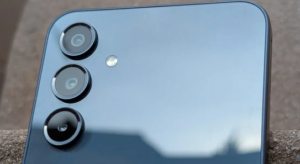
7. Camera System: Don’t Fall for Megapixels Alone
Smartphone cameras are more than just megapixels. Lens quality, sensor size, software processing, and stabilization all matter.
Important camera features for beginners:
-
Main camera: 48 MP or higher is good, but sensor quality is more important
-
Ultra-wide lens: For landscapes and group photos
-
Macro lens: Close-up shots (usually optional)
-
Telephoto lens: Zoom without losing quality (premium feature)
-
OIS (Optical Image Stabilization): Reduces blur in photos and shaky videos
-
Night mode: Better low-light photos
-
Selfie camera quality: Essential for video calls and social media
Tip:
Instead of megapixels, look for camera samples, software stability, and features like OIS.
8. Battery Life and Charging: Power That Lasts
Battery life is one of the most important things to consider.
Battery Capacity
Measured in mAh (milliampere-hour).
-
4000 mAh: Minimum acceptable today
-
5000 mAh: Ideal for all-day usage
-
6000 mAh: Great for gamers and travelers
Charging Speed
-
18W – 33W: Standard
-
44W – 67W: Fast charging
-
90W and above: Very fast (flagships)
Tip:
Choose at least 5000 mAh with 33W or higher charging if you want convenience.
9. Build Quality and Design: Comfort and Durability
The design of a smartphone affects not just how it looks but also how long it lasts.
Materials
-
Plastic: Lightweight and durable
-
Glass: Premium and stylish but can break easily
-
Metal frames: Strong and modern
Additional durability features:
-
IP rating (e.g., IP67, IP68): Water and dust resistance
-
Gorilla Glass: Screen protection
Choose a design that feels comfortable in your hand and suits your style.
10. 5G Connectivity: Do You Really Need It?
5G is becoming more common, but it’s still not essential for every user.
Reasons to choose a 5G phone:
-
Faster downloads and uploads
-
Better online gaming experience
-
Future-proofing your device
Reasons you may not need 5G:
-
Limited 5G coverage in your area
-
You’re buying a very low-budget phone where 5G compromises other features
Tip:
If your budget allows, pick a 5G phone—but don’t prioritize it over battery, display, or camera quality.
11. Software and Updates: Security and User Experience
Smartphone software determines how smooth, secure, and feature-rich your phone feels.
What to check:
-
OS version (Android or iOS)
-
Manufacturer’s update policy
-
Security patch frequency
-
Clean vs. bloatware-heavy interface
Best for beginners:
-
Clean Android or stock-like software
-
iOS for long-term updates
Avoid phones with too much bloatware as it slows down performance.
12. Brand Reputation and After-Sales Service
A good smartphone is not just about hardware—it must also offer support if something goes wrong.
Consider:
-
Warranty coverage
-
Repair center availability
-
Customer service reviews
-
Software reliability
Choosing a brand with strong after-sales support ensures peace of mind.
13. Read User Reviews and Watch Videos Before Buying
Once you finalize your shortlisted models, spend 10–15 minutes checking:
-
Real-world user reviews
-
Camera samples
-
Gaming performance tests
-
Battery drain tests
-
Durability and heating feedback
This step often reveals things you can’t see on the spec sheet.
14. Compare Phones Before Finalizing
Use a comparison list to choose the best phone among your selected options.
Compare based on:
-
Processor strength
-
Camera quality
-
Battery size and charging speed
-
Display type and refresh rate
-
Price-to-performance ratio
This helps you identify the phone that gives the best value for money.
15. Bonus Tips for Beginners
1. Don’t fall for marketing hype
Megapixels, AI features, and “gaming mode” labels are often exaggerated.
2. Don’t buy an old model
Older phones may have outdated hardware and poor battery life.
3. Consider resale value
Brands like Apple and Samsung hold value better.
4. Check the accessories included
Many phones no longer include chargers or earphones.
5. Think long-term
A slightly better phone today will last longer and perform well for years.
Conclusion: Make a Smart Choice Based on Your Needs
Choosing the right smartphone isn’t about buying the most expensive or popular one. It’s about finding a device that matches your lifestyle, budget, and preferences. Understand your needs, compare essential features like processor, camera, display, battery, and software, and evaluate real-world user feedback.
With this beginner-friendly guide, you now have a clear roadmap to confidently select a smartphone that will serve you well for years. Whether you’re a casual user, mobile photographer, gamer, or professional, the perfect phone is out there—you just need to choose wisely.